How to play bingo online with friends, free and without sign-ups
Bingo is better with company. Here are three free ways to play bingo online with friends using BingoHoster's spoken bingo caller: over a video call between houses, gathered round one TV, or warming up solo against the bots. No sign-up, no downloads, no payments, no apps for your guests.
Three ways to play bingo with friends
1. In the living room, on the TV
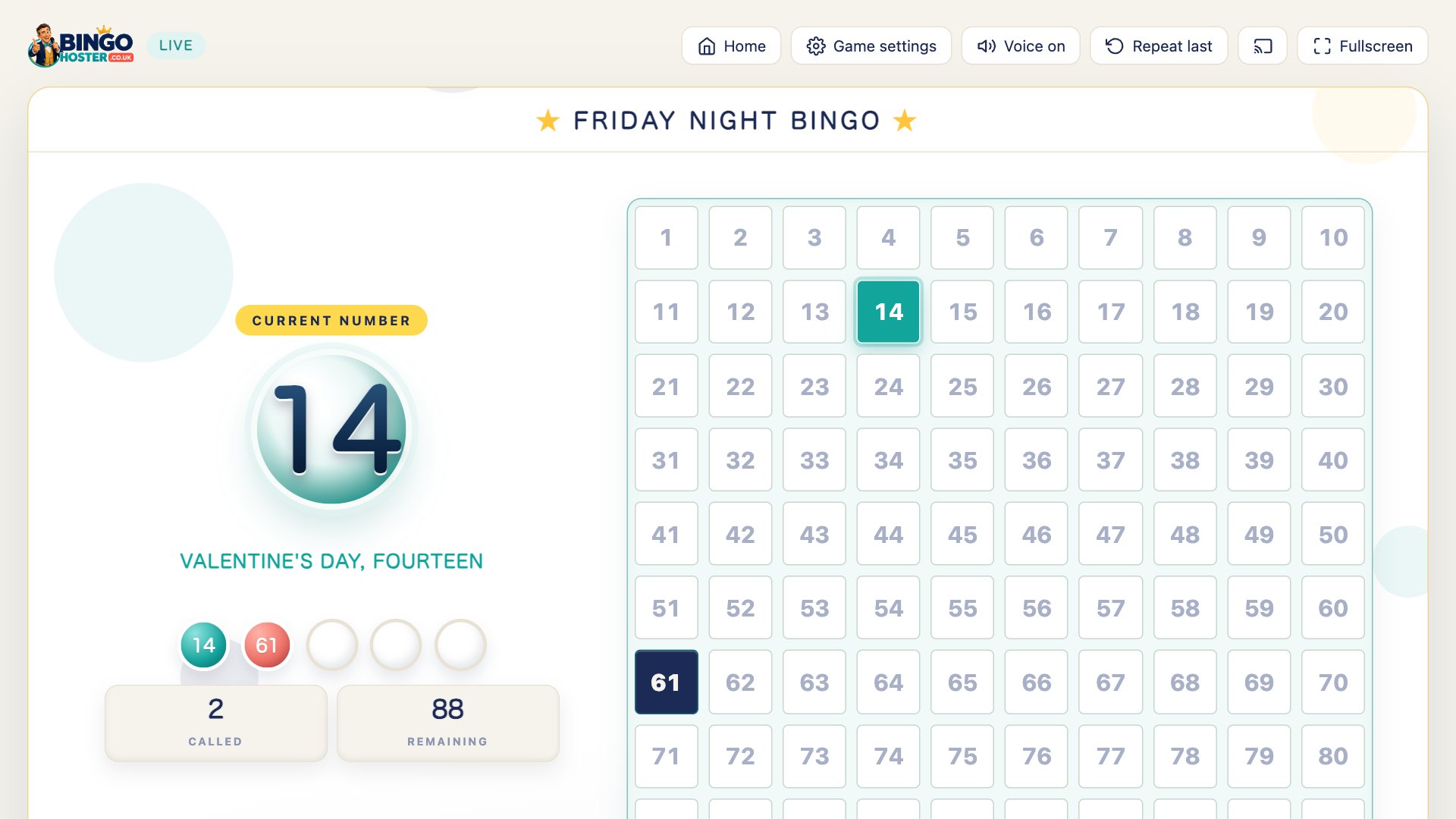
The classic bingo night, minus the ball cage. One person opens the host game, casts it to the TV (or plugs a laptop in and presses Fullscreen), and hands out paper tickets. The caller announces every number aloud with the traditional calls while the big board fills in behind it. When somebody leaps up shouting, the host presses B: the calls pause, every screen flashes BINGO with the song, and the ticket gets checked against the board. Press space, and the night rolls on.
It works just as well for a family bingo night as for a birthday party, a care home social, a classroom treat or a village hall fundraiser. Pick a party theme, Christmas lights, Halloween pumpkins, a beach, outer space, and the whole game dresses up for the occasion.
How to play bingo online with friends
Play Online Together gives everyone their own seat at the same table. One person hosts, everyone else joins from their own phone, and the same live game runs on every screen. Four steps, about two minutes, no accounts:
1Create a room and copy the link
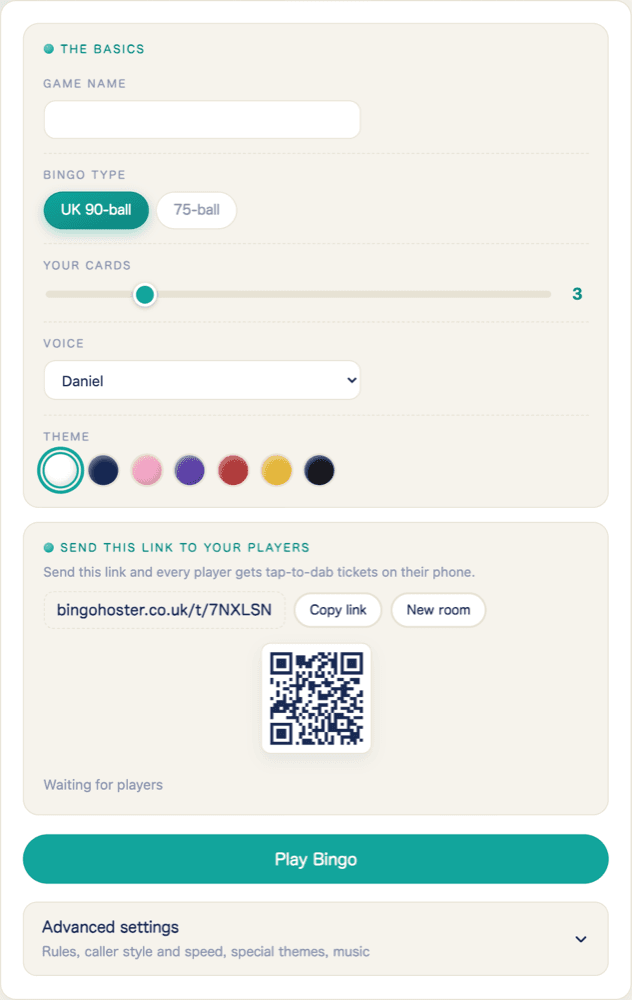
Open Play Online Together, give the game a name, pick 90-ball or 75-ball and how many cards each player gets, and choose a voice. The room gives you a short link and a QR code. Send the link to the group chat, or hold up the QR for anyone in the same house.
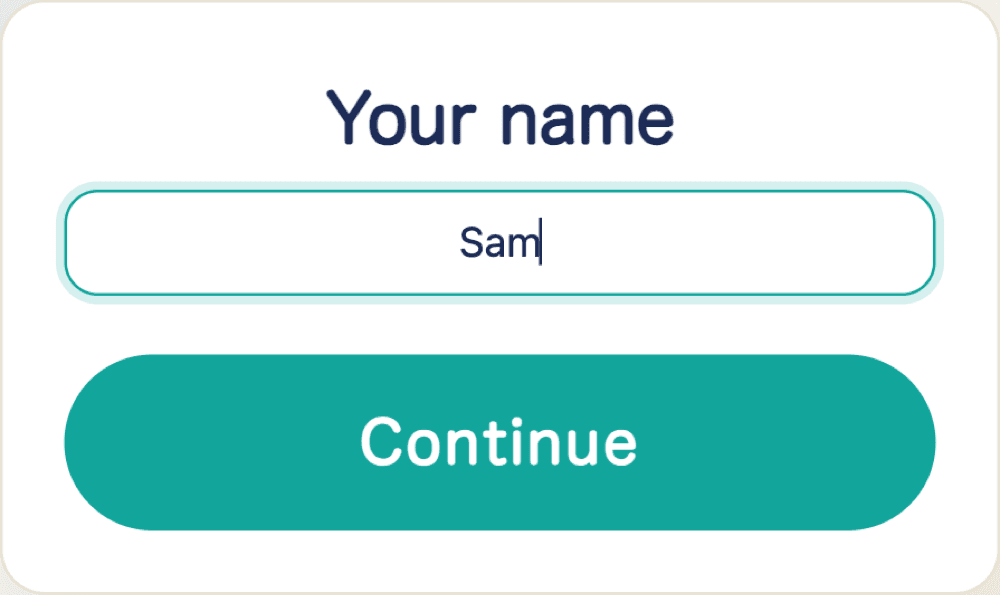
2Friends open the link and type a name
The link opens in any phone browser, no app and nothing to install. Each friend confirms the room and types a first name, which is what the others will see beside their progress during the game.
3Everyone picks a card number
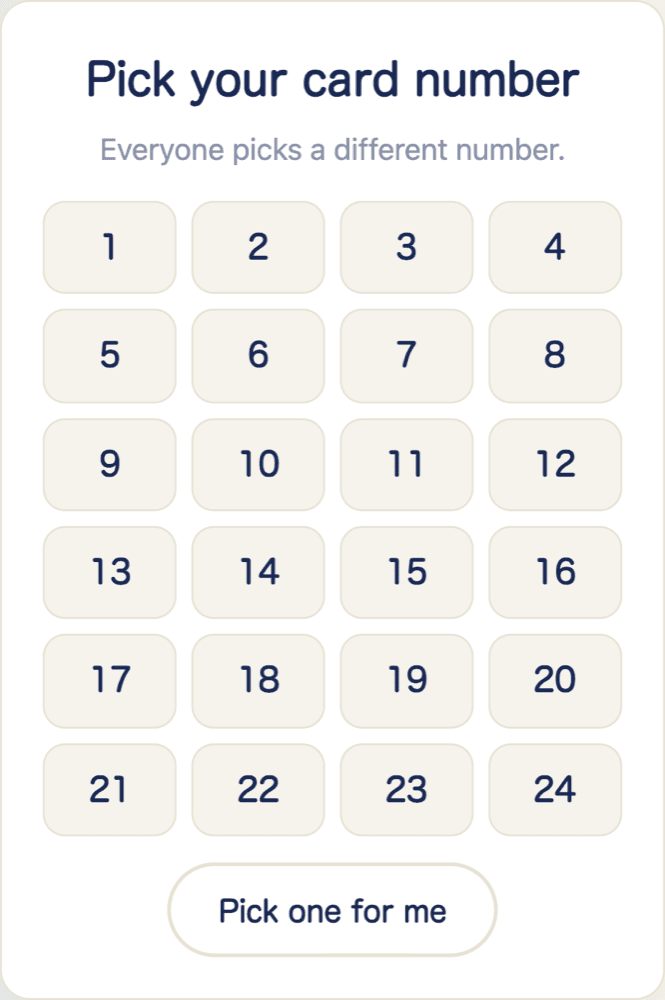
Each player picks a number from the grid. Taken numbers grey out so no two people clash, and the same number always deals the same tickets, so a dropped connection or a refresh loses nothing. The host sees names appear in the lobby as people join.
4Press play and dab along
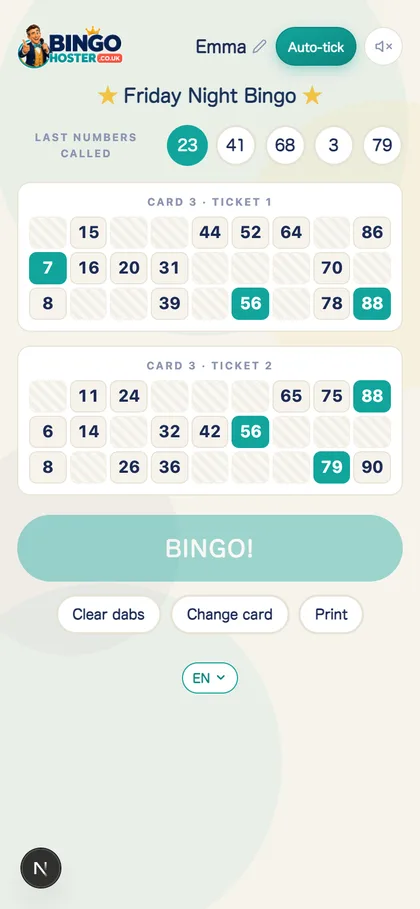
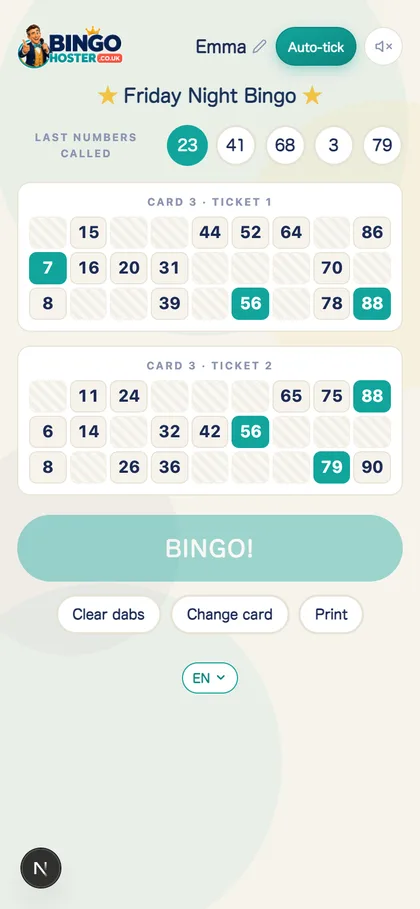
The host taps Play Bingo and the caller starts: a real recorded voice reads every number, the board fills in, and each phone shows the current number above its own tickets. Tap to dab, or switch on Auto-tick. The BINGO button only unlocks on a genuine full house, and when someone presses it their name flashes on every screen.
Add prizes to taste: the biscuit tin, the good chair, or eternal glory until next week.
Bingo online with friends over Zoom, FaceTime or WhatsApp
A lot of people ask about bingo online with friends over Zoom, and the answer is that BingoHoster slots straight into whatever call you already use: Zoom, Teams, FaceTime, WhatsApp or Google Meet. The video call carries the faces and the heckling; the ticket link carries the game. Everyone sees the live numbers above their own tickets, so you do not even need to share your screen, though sharing the big board adds to the occasion. The caller speaks in a real recorded voice, so the whole call hears the same warm British announcer rather than a robot.
For two players or a whole group
Multiplayer bingo here scales from a quick two-player grudge match to proper group bingo online: a hen do across three cities, a workplace social, a school quiz night or the extended family across two countries. There is no player limit and no per-player cost. Everyone picks their own card number, taken cards grey out so nobody clashes, and the room shows every player's name with how close they are, which is exactly the drama a group night needs.
3. Solo, against the bots
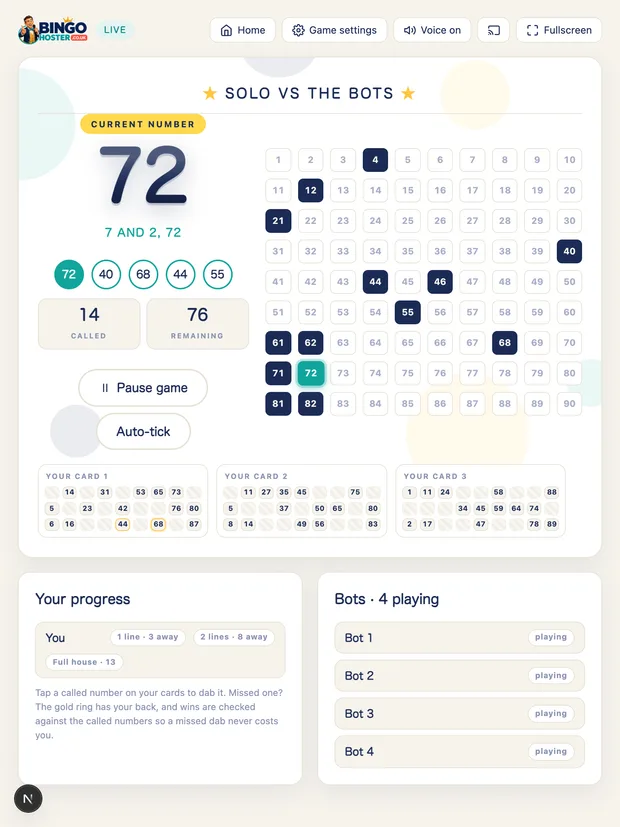
No friends free tonight? Play free bingo online against computer players. The caller runs the game, you dab up to nine cards (Auto-tick can dab for you), and the bots race you to one line, two lines and full house. Win, and the bingo song and your name light up the screen. It is also the perfect way to learn the game before hosting your first night.
Make it a proper night
- Name the game: "Nan's Birthday Bingo" on the marquee beats "Untitled".
- Pick a voice and pace: slow and steady for mixed ages, Turbo for the competitive ones.
- Theme it: six party themes with falling snow, swooping bats or shooting stars.
- Prizes: sweets, a wooden spoon trophy, loser makes the tea.
- Learn one or two calls: shouting "clickety click!" along with the caller is half the game. Here is what the famous calls mean.
Questions people ask
Can we play bingo over Zoom or FaceTime?
Yes. Start a host game and send everyone the ticket link: their phone tickets follow the caller live, with the latest numbers shown above their tickets. Add the video call for the chat and the caller's voice (share your screen if you want them to see the big board too). Whoever completes a full house taps BINGO and their name flashes on every screen in the game.
How many people can play bingo together?
Plenty for a proper night: one screen calls the numbers and each player marks their own tickets. It is designed for family-and-friends groups, from four on a sofa to a village hall, rather than huge public events.
Do my friends need accounts or apps?
No. Nobody signs up for anything and nobody installs anything. The host shares a ticket link and every player opens it in their phone browser to get tap-to-dab bingo tickets, or you can use ordinary paper tickets instead.
How do you play bingo online with friends for free?
One of you hosts: open BingoHoster and send everyone the ticket link. Each friend types their name, picks a card (taken cards grey out) and gets free tickets that follow the caller live on their phone. Start a video call so everyone hears the caller, and the first to a full house taps their BINGO button, which flashes their name on every screen with the song.
Is it really free to play bingo online here?
Yes, the whole site is free: the caller, the solo game, the themes and the TV casting. There are no payments, no ticket sales and no accounts.
Can you play bingo online with friends?
Yes, free and in your browser. One person creates a private room on BingoHoster, shares the ticket link, and everyone plays the same live game from their own phone: same numbers, same caller, everyone's progress on screen. No apps, no accounts, no cost.
How do I play bingo online with friends on my phone?
Ask the host for the room link, open it in your phone's browser, type your name and pick a card number. Your tickets appear and follow the caller live. Tap a number to dab it when it is called, or turn on Auto-tick and let the phone dab for you. Nothing to download.
Can we play online bingo with friends in different countries?
Yes. The room link works anywhere with an internet connection, and the numbers arrive on every phone at the same moment. Start a video call alongside it for the chat. The caller speaks English, German or Polish, so mixed-language families can pick the voice that suits.
What if I want to practise on my own?
Play Solo: the caller runs the game, you dab up to nine cards (or let Auto-tick dab them for you), and computer players race you to line, two lines and full house.
Want the detail on the caller itself, voices, calls, speeds and TV casting? See the free bingo caller. Hosting for people who are all remote? The virtual bingo guide covers it. Planning the whole evening? Follow how to host a bingo game at home, or the family bingo night guide for mixed ages. Curious where the game came from? Read what is bingo.
No sign-up, no payments, no apps for your guests.